

In this short post, I will show how to configure JetBrains’ CLion to use Clang/cmake to compile and use C++20 modules
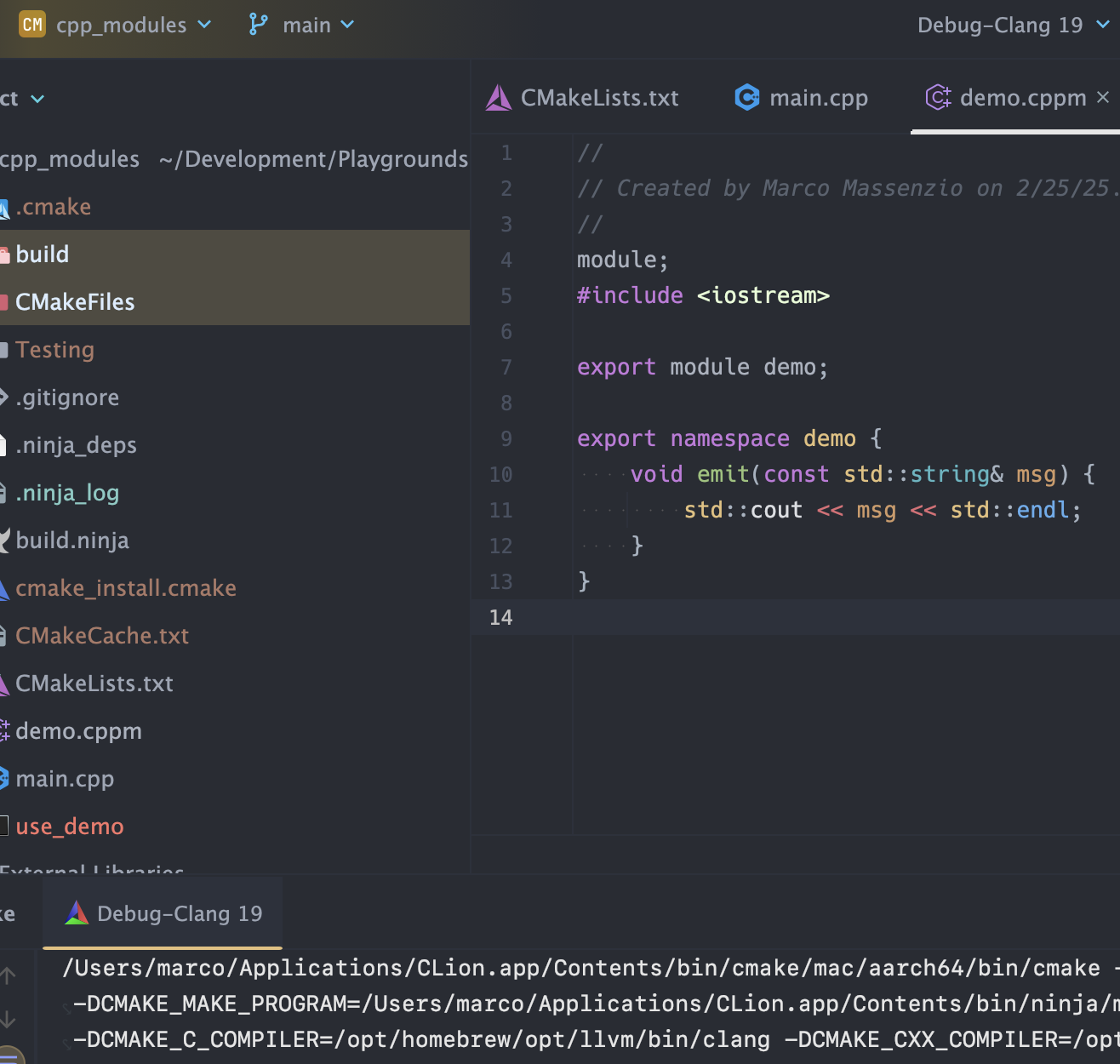
The full project is available at https://github.com/massenz/cpp_modules
While CLion supports modules, it is not immediately obvious how to make them work “out-of-the-box,” and a bit of fiddling with cmake settings is necessary.
Please see Part 1 of this series for more details about how to use clang++ to compile modules (and the programs that import them).
Because the default clang++ that comes bundled with MacOS Sequoia (AppleClang v16) does not support modules, we need to configure a new “toolchain” in cmake settings:

click the Manage toolchains... option, and in the new window that pops up, enter the location of Clang v19 installed via Homebrew:
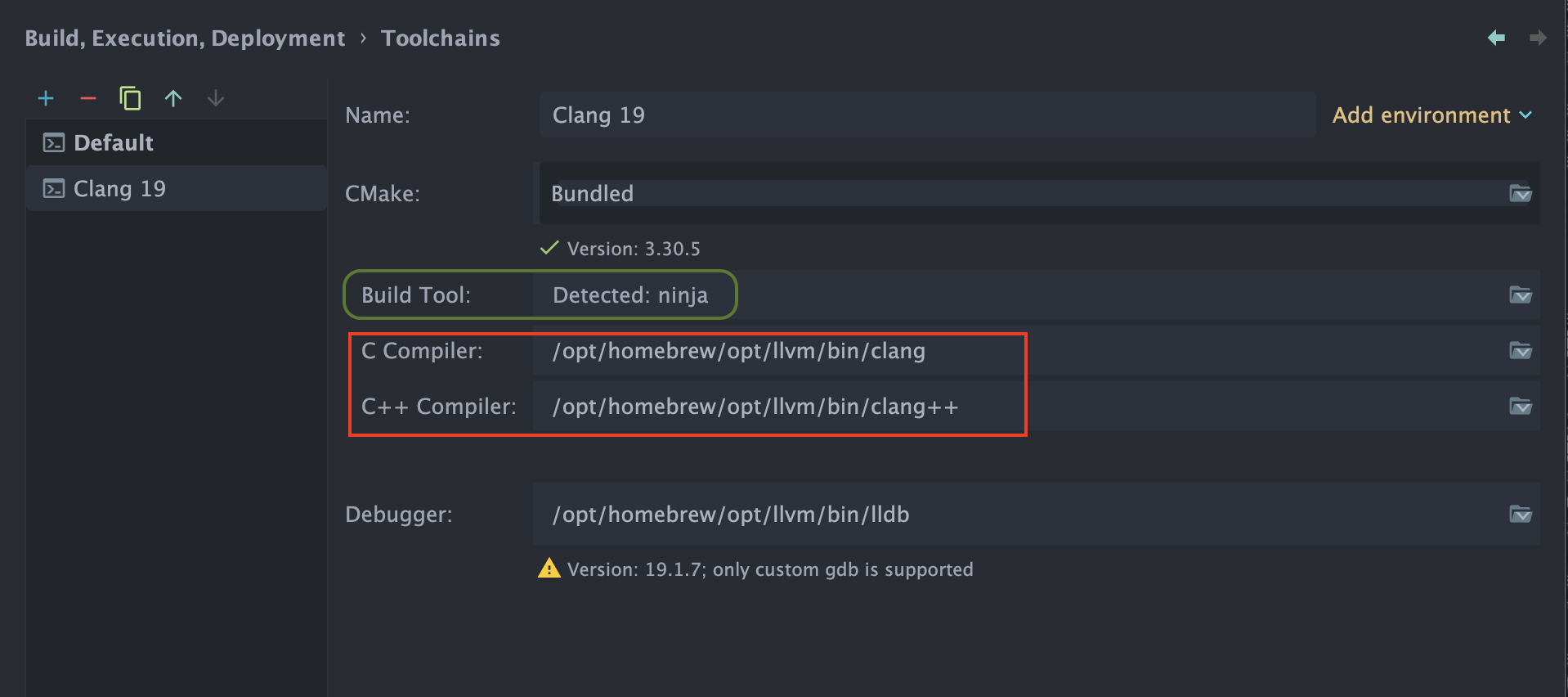
Also, make sure that ninja is configured as the Generator (you can use the default ninja that comes bundled with CLion; or install your own version, again using Homebrew).
Once you’ve done that, CLion should automatically refresh the cmake configuration (essentially, re-run cmake):
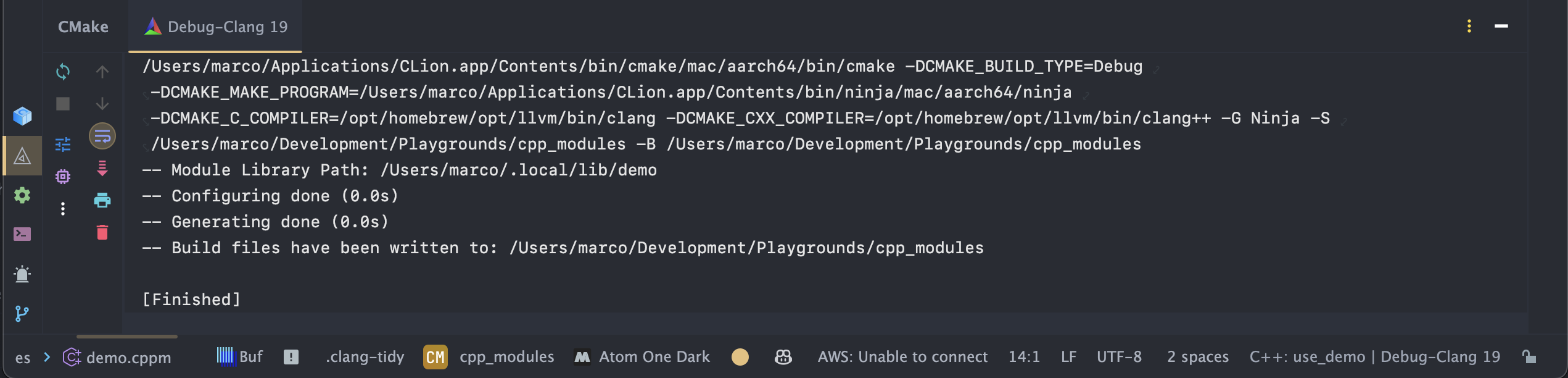
Please note that I have encountered a curious bug in CLion (CPP-43521), so you may need to use the workaround as described in the bug report (and noted in the project’s source code): YMMV.



 Code Trips & Tips
Leave a comment